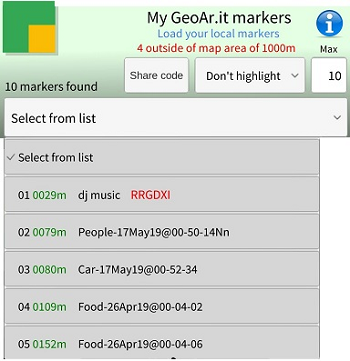
This section explains how to select a marker from the dropdown list in the GeoAR.it app.
📋 Selecting a Marker from the Marker Listbox
- 🔽 Open the Dropdown List: Press on the marker dropdown in the app interface.
- 👀 View Your Markers: See a list of your previously created markers.
- ✅ Select a Marker: Tap on the marker you wish to use from the list.
After selecting your marker, you can carry out any action associated with that marker in the app.